Listeners:
Top listeners:
-
 play_arrow
Radio Today Radio Today
-
 play_arrow
Game Time Sports Show Mike Stroud
-
play_arrow
Game Time Sports Show Mike Stroud
music_note

How to Beat the “Low Battery” Warning
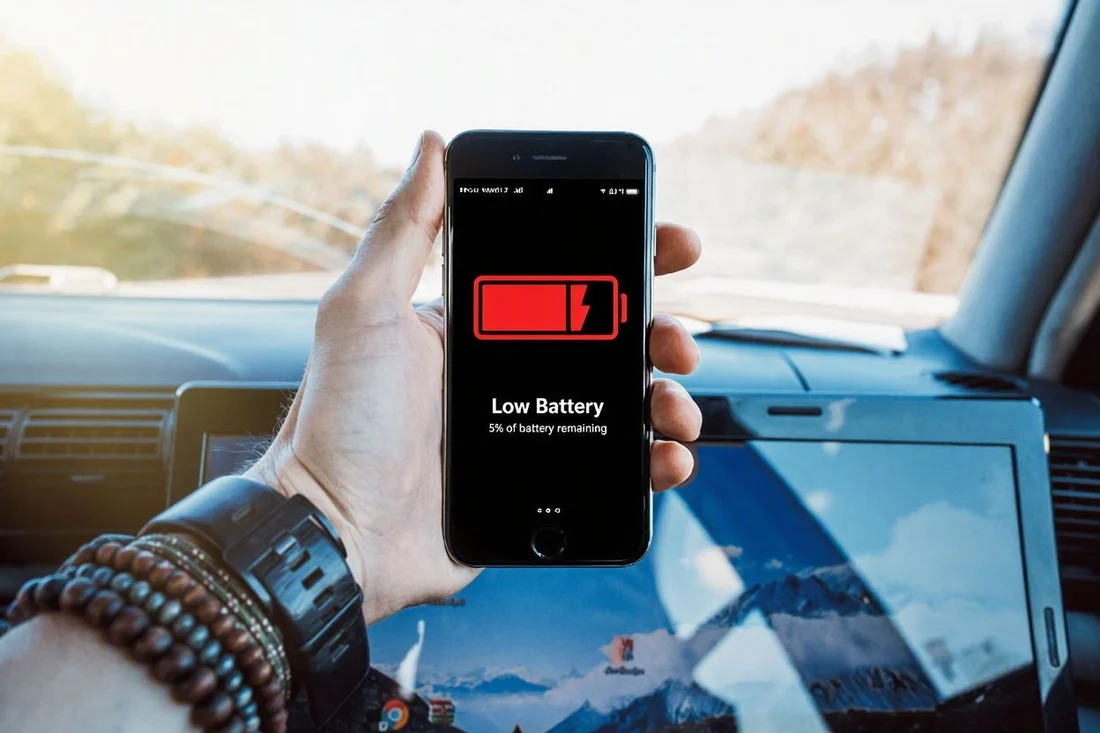
We’ve all been there. You leave your home to go and do some shopping and then forget something. So you take your phone out to make a call and see that the phone battery is extremely low. Or perhaps you have gone out to a new restaurant and need the maps app on your phone to see how to get home, but the battery is running low and might not be enough to see you through the journey. Whatever the case might be, there is a reasonably high chance that the “battery low” warning has come on just when you need it.
On the other hand, you might be frustrated as your phone never seems to hold its charge long enough. This might be due to the age of the phone but if the phone is fairly new, it could be that there are some settings or applications that are power-hungry and they are draining the battery more quickly than expected.
Here are a few tips on how to manage the battery life of your phone better. In the display menu of your phone you can change the following: Brightness, dark mode and refresh rate.
Display brightness
The brighter the screen the more battery power it will use. Turn the brightness level down and if your phone has an auto or adaptive brightness, switch it on so that your phone can automatically manage the brightness of your screen as you move from indoors to outdoors etc.
Dark Mode
Most of the newer phones have a dark mode setting available. By switching this feature on, it should lessen the amount of battery usage. Important to note is that if you are used to seeing black text on a white screen, this will now become inverted to a black screen with white text, which may take time getting used to.
Refresh rate
The screen on your phone has a refresh rate also known as “motion smoothness”, and what that really means is how smooth the screen moves or flows when scrolling or watching something. For general use like texting, one could use the standard setting, however, for watching video or movies on a phone the refresh rate is usually higher. Higher refresh rate equals higher battery use.
Listening to music and watching movies
If you like to listen to music on your phone and are using apps such as Spotify or Apple Music, it is best to download the music to your phone over Wi-Fi and listen to the downloaded version. This will not only save you battery usage but will also save on data usage. The same applies to watching movies, videos or podcasts. Try downloading them to your phone first by using the streaming service download feature.
Making videos
Filming videos on your phone is also high on the battery consumption list. The higher the video quality setting and the longer you film, the quicker the battery power will be depleted as it is using processing power to make the videos.
Background applications and power saving
A number of apps may run in the background without you being aware. In the battery settings of your phone there are a few options that can be altered to enhance the battery consumption on your phone.
- Power saving mode should give options for standard and maximum power saving. Each of these in turn has their own settings to manage the amount of power saving with the maximum setting limiting more background activity and offering a longer battery usage.
- Background usage limits allow you to put unused apps to sleep. These are applications that are on your phone but are not often used.
- Battery protection gives options for how fast or slow the battery charges as well as whether the battery should charge to 100% or not. Make sure you follow the manufacturer’s instructions on your phone as these settings may differ from one brand to another.
Some additional tips
- If you get a lot of notifications, consider turning some of them off. Every notification is using battery power to ring, ping or buzz letting you know that there is a message etc.
- If your phone gets hot while in use, it is draining the battery too quickly. Stop the application from running or the movie being watched or even switch your phone off and let it cool down.
- Never leave your phone in the sun or where it is hot. Heat diminishes the battery power.
- When going away on business or holiday, always remember to pack the charger and cable for your phone. Each phone has its own charging capacity. If the charger is too small, it may take too long for your phone to charge.